Instrument mounting and positioning
Use measuring stands, magnetic bases and holders to support compatible indicators or probes and maintain the required contact position during measurement.
 K K Geo System | 3D Scanning & Metrology Solutions India
Precision Gages · Mahr
Complete a Mahr measurement setup with compatible stands, data cables and wireless receivers. Select accessories by the exact instrument order number and the required connection or mounting arrangement.
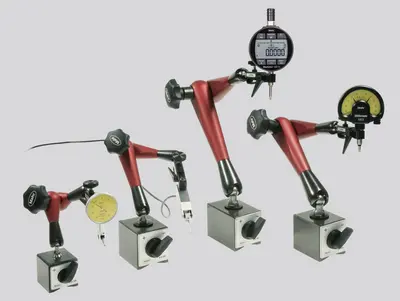
Use measuring stands, magnetic bases and holders to support compatible indicators or probes and maintain the required contact position during measurement.
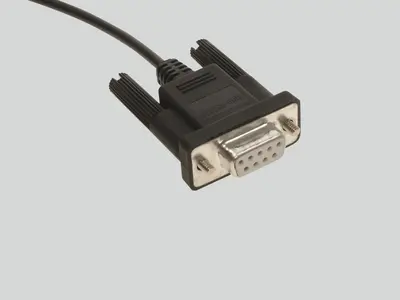
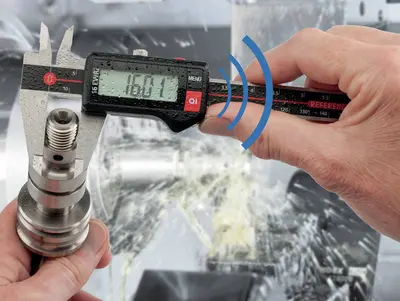
Transfer readings from compatible instruments using the specified data cable, wireless interface or receiver. Confirm instrument output and receiving-software compatibility.
Select measuring tables, supports and compatible contact accessories for the inspection arrangement. Check mounting interfaces, working clearance and component stability.
| Model / option | Range or configuration | Selection notes |
|---|---|---|
| 815 MB | Height 285 mm / reach 190 mm | Magnetic indicator stand. |
| 815 P | Height 205 mm / reach 130 mm | Magnetic indicator stand. |
| i-Stick | 4102220 | Receiver for compatible Mahr Integrated Wireless instruments. |
| DK-U1 / DK-D1 | 4102603 / 4102606 | Bidirectional USB / Digimatic data cable options. |
| 16 EXu / 16 EXr / 16 EWd | 4102357 / 4102410 / 4102915 | Connection options; 16 EXr is listed for MarCator 1075, 1086 and 1087. Verify the exact instrument version. |
Ranges refer to specific variants or sets. Confirm the exact model, configuration and accessories with your quotation.
Provide the full model, order number and connection details.
Confirm stem or mounting size, height, reach and base suitability.
Identify the computer, software and input format before choosing the interface.
Send the full model and order number, plus a photograph of the connector if available. State whether readings need to reach a spreadsheet or inspection software. The accessory must match the instrument’s supported interface.
Check the indicator mounting size, required height and reach, base surface and measurement direction. For the listed 815 MB and 815 P stands, compare the complete mounting arrangement rather than selecting only by overall height.
A cable or receiver does not add an unsupported interface. Confirm that the instrument variant has the required output before ordering the connection accessory.
Instrument model and order number, mounting needs or required software/data connection.
Model availability, accessories and lead time are confirmed with the quotation.
Range references: . Manufacturer-listed systems and options are subject to India availability and configuration confirmation.
Product photographs: Mahr. Images illustrate product families; supplied equipment and accessories depend on the selected configuration.