


Why Peel 3 Deserves a Place on Your First 3D Scanner Shortlist
Buying your first 3D scanner is a decision about what your team will be able to create, measure and deliver. The purchase price matters, but so does the journey from scanning an object to producing a useful result.
With many low-cost Chinese 3D scanners available, buyers have more choices than ever. Those products can be worth evaluating on their merits. For customers looking for an entry-level professional solution, however, Peel 3 makes a compelling value-for-money case: Creaform backing, manufacturing in Canada, a choice of supporting software and local service and calibration support in India.
The strongest reason to consider Peel 3 is the complete workflow around the scanner—whether your first project involves an engineering component, a sculpture or a classroom demonstration.
Manufactured in North America, backed by Creaform
Peel 3D is a Creaform brand, and Peel 3 is manufactured in Canada. For a buyer seeking a North American-made scanner, that gives the product a clear manufacturing identity and an established technology company behind it. Peel 3D manufacturing and brand information.
Country of manufacture alone does not determine which scanner suits a project. The practical decision should also consider software, application fit, support and the quality of the finished output. Peel 3 brings these considerations together in a package worth evaluating as your first professional 3D scanning system.
Compare the cost of a usable result
An attractive hardware price is only one part of the investment. Before choosing a scanner, consider the computer, software licences, training, processing time and ongoing support needed to complete your work.
For example, an engineering team may need to create CAD geometry from a scan. An artist may need a clean mesh for reproducing a sculpture. An inspection team may need a comparison against nominal CAD and a report. Each buyer needs a different combination of tools.
A useful comparison asks:
- Can the system capture the objects and details we work with?
- How much processing is required before the data is useful?
- Does the quoted software produce our required deliverable?
- Who helps us resolve application or equipment issues?
- What service and calibration support is available locally?
Apply these questions equally to Peel 3 and lower-cost alternatives. Demonstrated results on your own object provide a stronger basis for purchase than a headline specification or price alone.
An accessible start for engineering applications
For engineering teams, Peel 3 can provide a digital reference for existing components, handmade prototypes and surrounding geometry used in product development. Illustrative projects include designing a cover around a housing, documenting a component without drawings or developing an aftermarket accessory.
Peel 3 includes Peel.OS for acquiring, cleaning, aligning and exporting scan data. Its touchscreen distance guidance, multi-grip handle and vibration feedback help guide the operator during scanning. The manufacturer lists accuracy up to 0.050 mm and a recommended object size range of 0.1–3.0 m. Application suitability still depends on part geometry, surface conditions and required tolerances. Peel 3 features and specifications.
A sensible first demonstration should include the features that matter to your design: mating faces, curves, openings and areas that are difficult to reach.
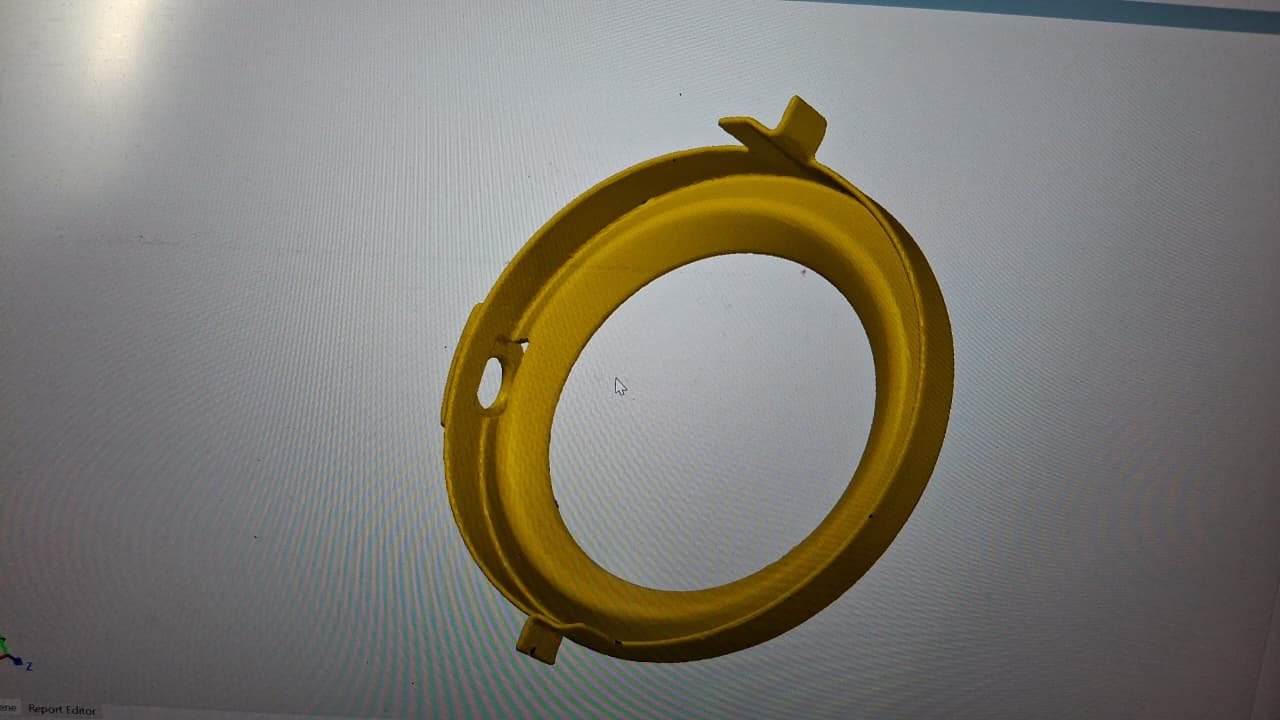
This example brings the discussion into focus: the component includes a curved profile, a large central opening, a smaller side hole and projecting tabs. For a reverse-engineering project, these are the kinds of features a buyer can ask to follow from scan capture through to CAD preparation. A demonstration can then establish which features are suitable for the intended design task.
Equally relevant beyond engineering
Your first scanner may be intended for creative work or education. Peel 3D identifies heritage and art preservation, digital content and education among its applications. Peel 3D application overview.
Consider the possibilities: an artist creating a digital reference of a handmade form, a museum team documenting an object, a content creator preparing a physical prop for a digital scene, or students learning how physical geometry becomes a 3D model.
For these projects, evaluate the quality of the finished mesh, the details you need to preserve and the effort required to prepare the asset for its destination. The most useful demonstration ends with the model opened in the software you actually intend to use.
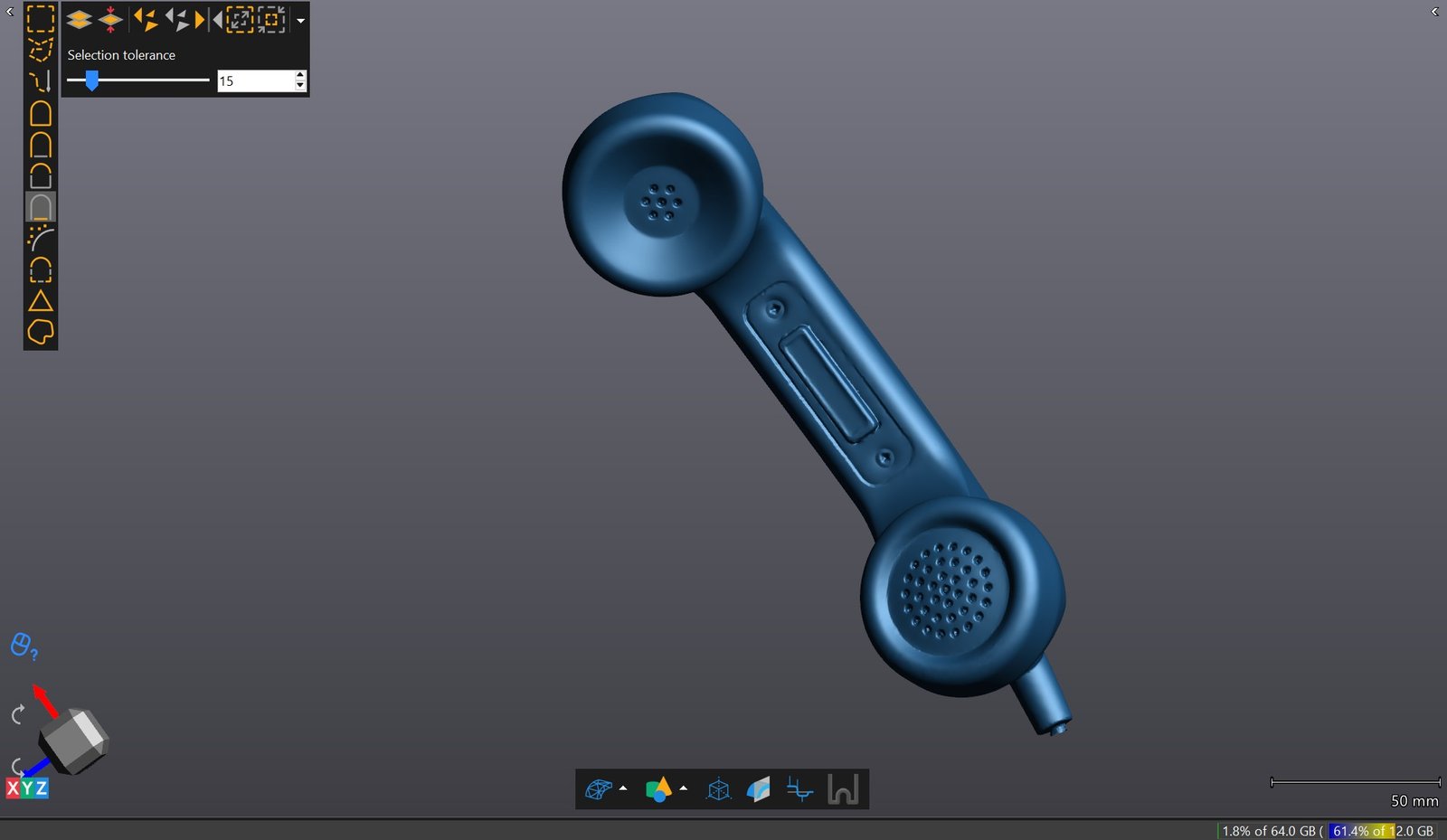
An everyday object like this handset connects engineering and creative applications. Its digital representation could become a reference for product study, an educational exercise or preparation of a digital prop. The intended use determines the next steps: preserving visual detail, preparing the mesh or reconstructing design geometry.
Software completes the solution
Choosing the software alongside the scanner helps you build a workflow from physical object to finished deliverable.
| Your intended result | Software route to consider |
|---|---|
| A cleaned mesh for digital documentation, visualization or further preparation for 3D printing | Peel 3 with the included Peel.OS scanning and mesh-processing workflow |
| Geometry extracted from scans for reverse engineering in CAD | Peel 3.CAD with Peel.CAD |
| More extensive sketching and modeling from scan data | Peel 3 Pro.CAD with Peel.CAD Pro |
| Dimensional comparison and inspection reporting | A suitable, separately scoped inspection software package and validated data-transfer workflow |
Peel.CAD supports extracting geometric entities, surfaces and cross-sections for further CAD work. Peel.CAD Pro adds sketching and modeling capabilities for working from scan data. These options let buyers select a package around the engineering output they need. Peel 3.CAD and Peel.CAD Pro.
For inspection, K K Geo System offers PolyWorks|Inspector, a dimensional analysis and quality-control solution that supports measurement-file import. Discuss the appropriate export/import route, licence and reporting requirements when configuring a Peel 3 solution. Inspection software is an additional part of the proposed workflow; it should not be assumed to be included with the base scanner. PolyWorks at K K Geo System.
Inspection also requires a scanner and measurement process suited to the tolerances being checked. Software cannot compensate for data that does not meet the application’s measurement requirements.
Local service and calibration support in India
For Indian customers, local support is an important part of the ownership proposition. K K Geo System provides a local point of contact for Peel 3 service and calibration support in India, helping customers address ongoing equipment needs alongside their scanning applications.
That support matters when purchasing your first system. Buyers can discuss the service process, calibration arrangements and applicable coverage with a local team as part of the quotation, giving them a clearer understanding of ownership beyond the initial purchase.
Peel 3D also recommends that customers who purchase through a partner contact that partner for local support because of their familiarity with the customer’s needs and application. Peel 3D technical support.
Make your first scanner a complete working solution
Peel 3 deserves consideration if you want an entry-level professional scanner with Canadian manufacturing, Creaform backing, software options for useful downstream work and local support in India.
The next step is a demonstration built around your application. Bring an engineering component, a creative object or an educational project, and define the result you need: a mesh, CAD geometry or an inspection report.
Contact K K Geo System to discuss Peel 3 and an end-to-end scanning solution matched to your application, software requirements and budget.